Your coding agent can trade now.
Run Claude Code, Codex, OpenCode, Pi, and more against one self-hosted trading desk. Agents research, schedule, and stage operations; you decide what reaches the broker.
01ask alice / pi session / webpi
Give your agent the brief.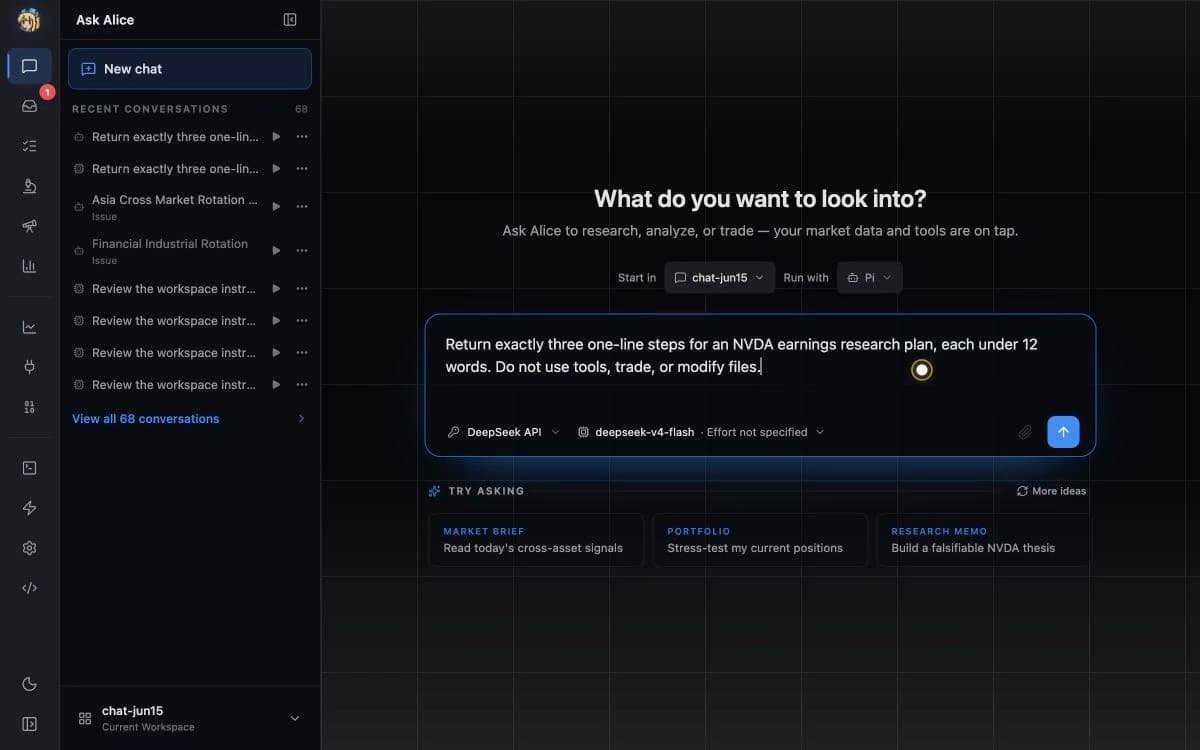
The operating model
Give the agent a system,
not another chatbox.
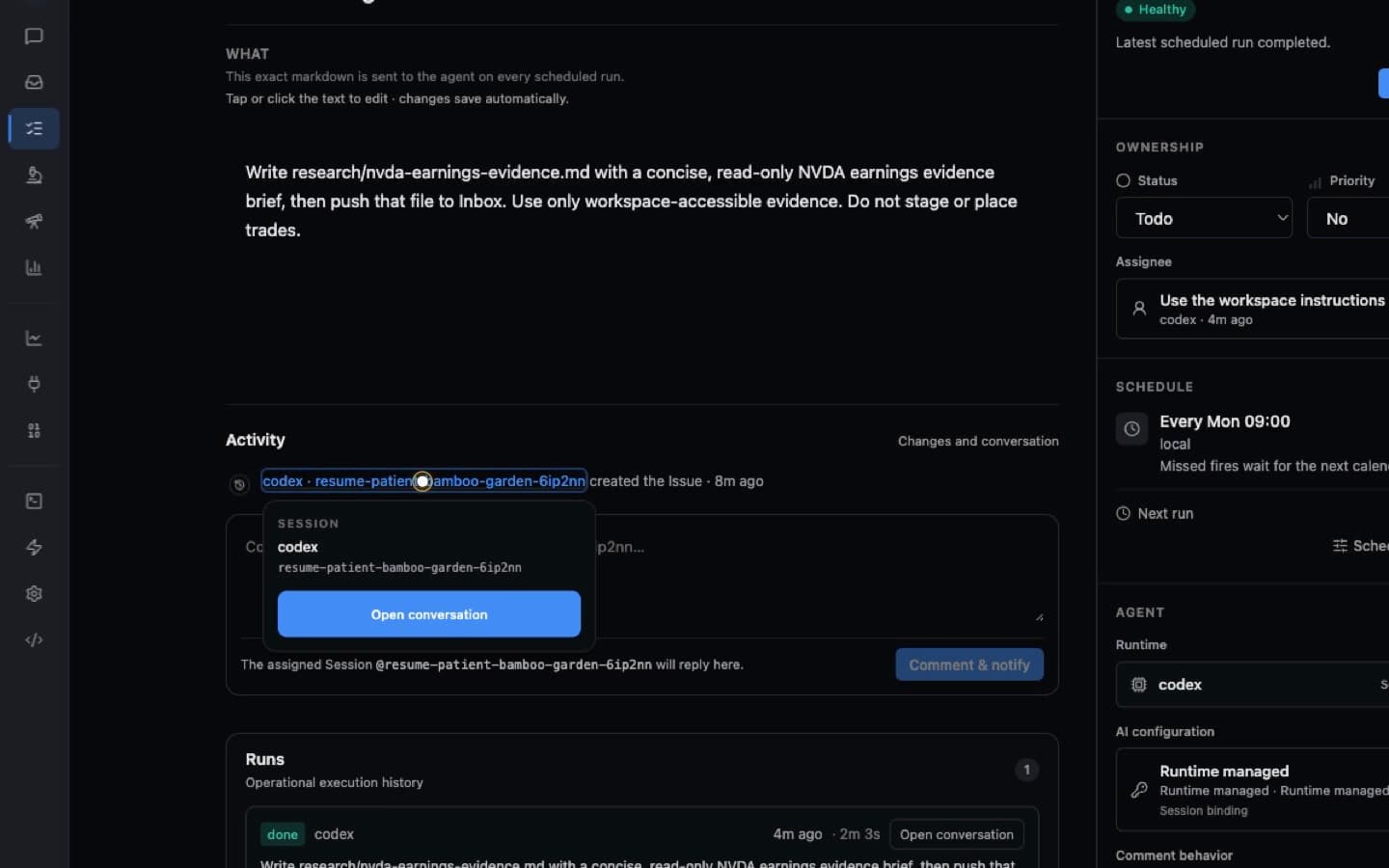
One Codex Session turns a brief into a named Issue. The same object keeps its schedule and run history, then publishes a source-bound report to Inbox.
The brief becomes an object.
Codex leaves one named Issue with its owner, schedule, instructions, and creation provenance on disk.
Specialist research
Go deeper.
Keep the same workflow.
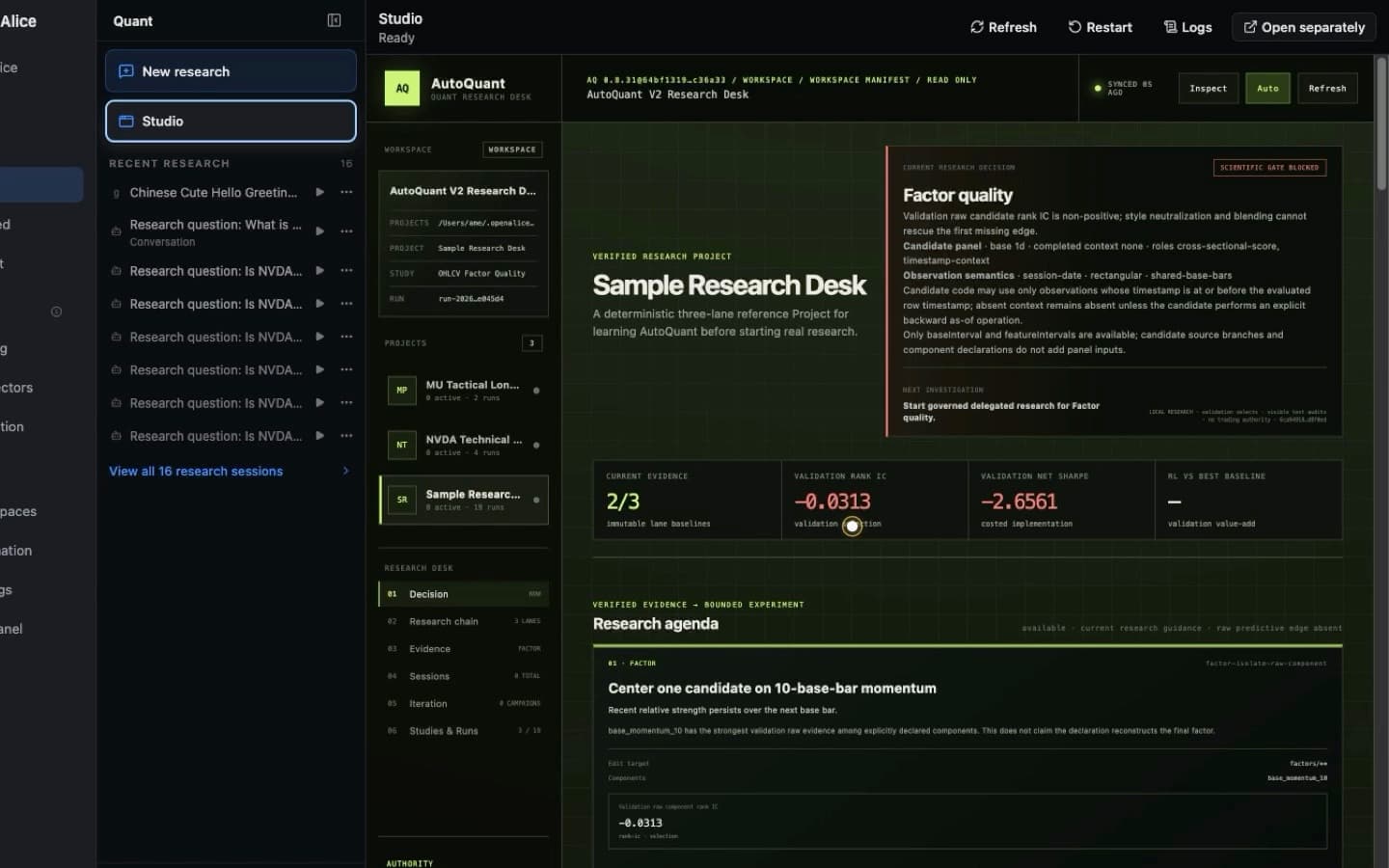
Give the same agent focused environments for experiments, evidence, and the next research decision.
Give the agent a laboratory.
Run projects, studies, and experiments in one inspectable research workspace.
Reviewable execution
See the trade
before it moves.
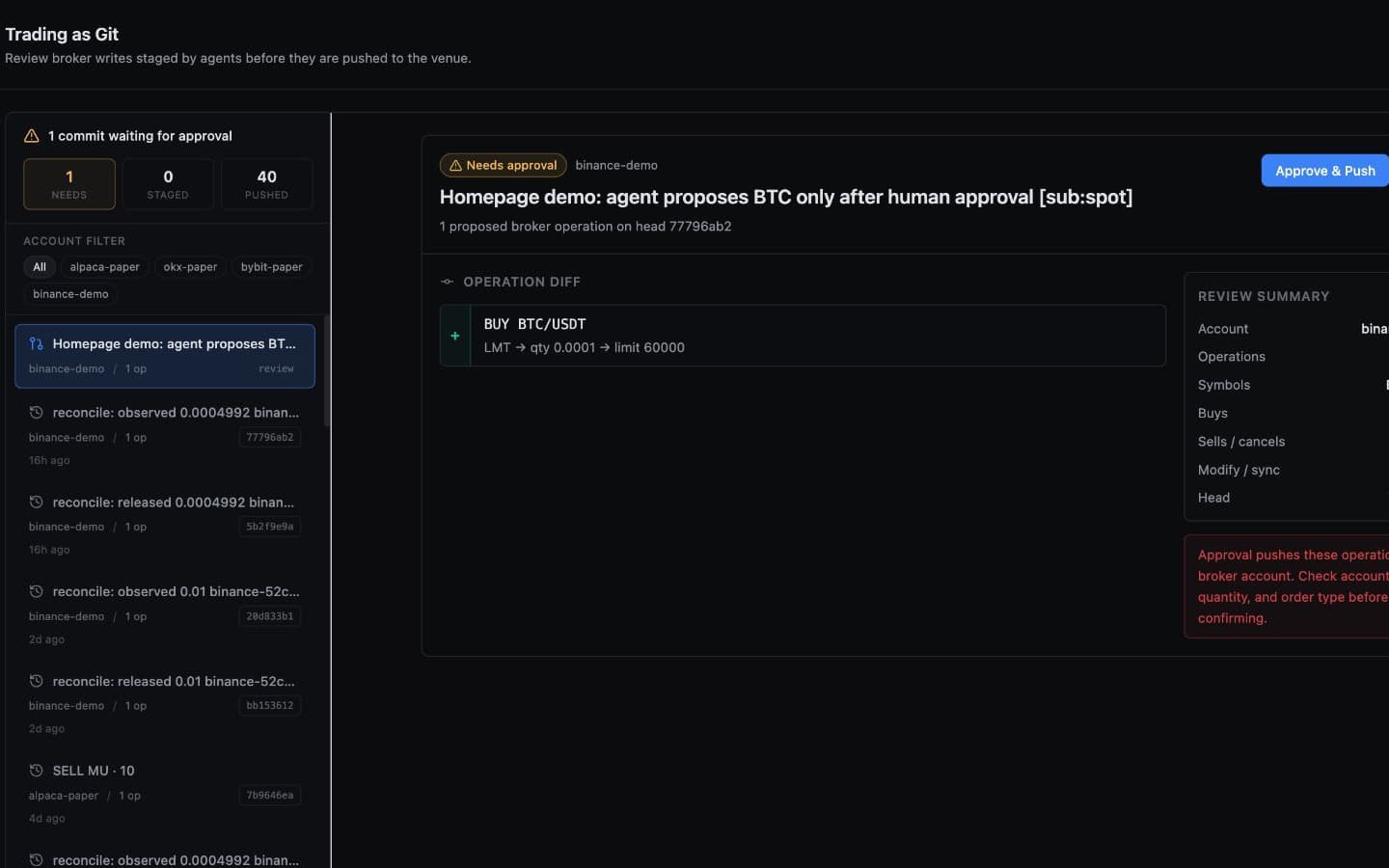
Inspect the account, side, quantity, order type, and operation diff before anything reaches a broker.
The broker waits for you.
The agent prepares the operation. You inspect the exact diff, then a second human confirmation stands between the proposal and the broker.
Built in the open.
Kept on your machine.


Before you install
Questions,
answered plainly.
Open source does not have to mean guesswork. Here is what runs, where it runs, and who stays in control.
What is OpenAlice?
OpenAlice is a self-hosted trading workspace for coding agents. It gives an agent a place to research, keep files and memory, run scheduled work, and optionally prepare broker actions through one reviewable workflow.
See the product overview →Which coding agents can I use?
Bring the agent CLI and subscription you already use. OpenAlice supports Claude Code, Codex, OpenCode, Pi, and other compatible agent CLIs without forcing you into a bundled model plan.
How agent sessions work →Will an agent place trades without asking me?
Not by default. Alice can stage and commit an intent, but broker execution waits for your approval in the Web UI. Direct AI push is an explicit Pro setting; start with the simulator, paper, demo, or testnet path first.
Read about the approval wall →Do I need a broker account to get started?
No. Research, watchlists, issues, workspace automation, Inbox, and the built-in mock simulator work without trading credentials. Connect a broker only when you are ready to validate execution.
Start with the quick start →Which brokers and markets are supported?
Optional Broker Packs cover paths including Alpaca, CCXT exchanges, IBKR, Longbridge, and LeverUp. Venue, instrument, and order-type support varies, so validate your specific route with paper or demo funds before going live.
Check broker details →Where do my data and credentials live?
OpenAlice runs on your machine and keeps its product state locally. Broker credentials are sealed at rest with a machine-bound key; the setup wizard is the normal way to add or change them.
Review data and credentials →Open source · self-hosted
Get OpenAlice.
Download the local desk, then bring the coding agent and subscriptions you already use.